If your workspace changes frequently – whether you’re working from a coffee shop, a train, or a client’s home – your tools need to keep up. The Logitech MX Anywhere 3S is designed specifically for this modern, mobile lifestyle. It represents a significant evolution from its predecessor, the MX Anywhere 3, aiming to be the ultimate companion for digital nomads, remote workers, and anyone who values a minimalist, powerful setup.
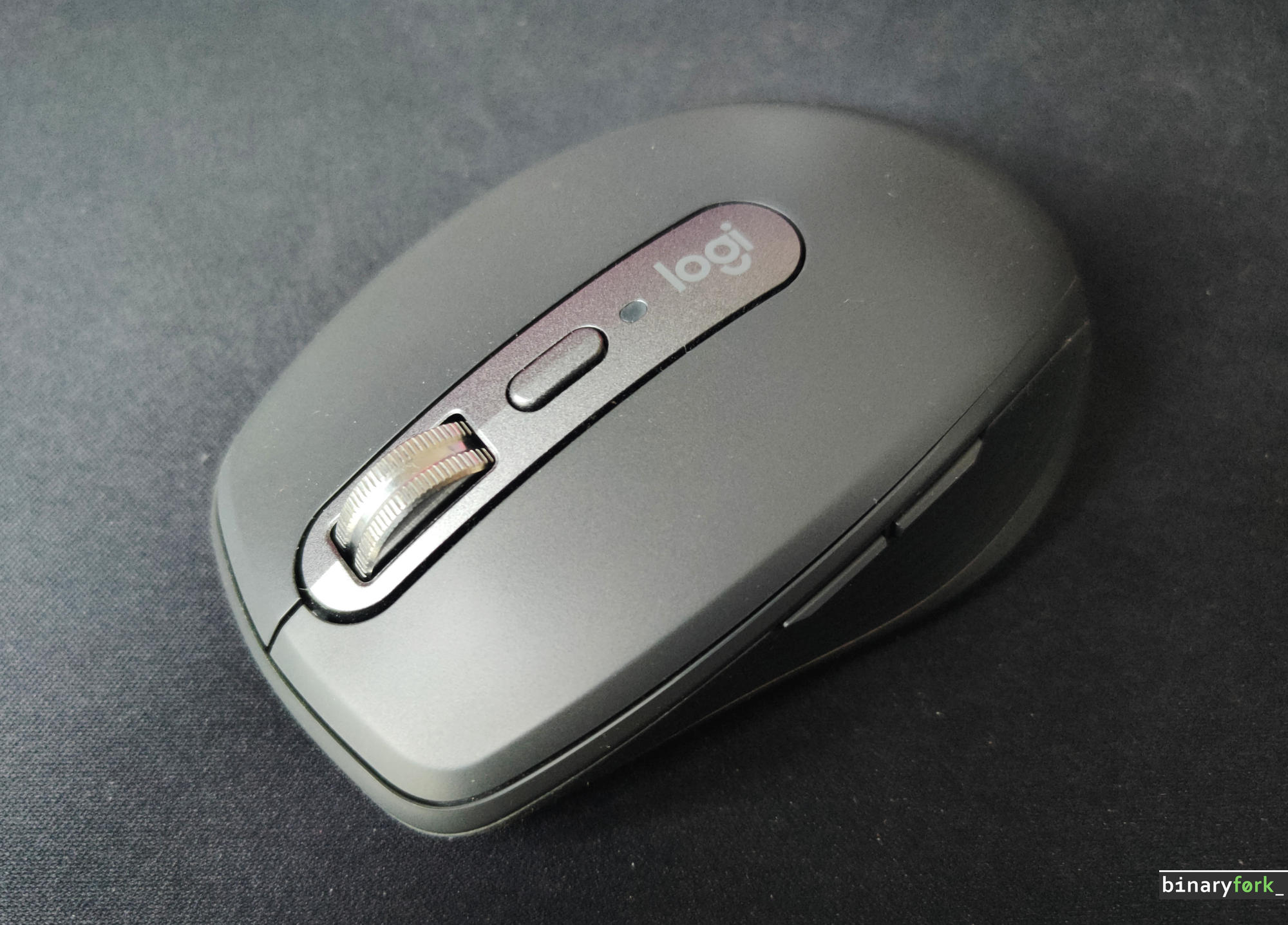
But is it truly the mandatory upgrade you need? When a mouse promises ‘anywhere’ performance, you need to know exactly what improvements justify the switch. This comprehensive review dives deep into the MX Anywhere 3S to help you make an informed decision about its place in your daily carry.
We will guide you through the key advancements that make this model stand out. First, we examine the impressive 8,000 DPI sensor, explaining why this doubling of tracking power matters for high-resolution displays and challenging surfaces like glass. Next, we explore the user experience, detailing the quiet click technology that makes working stealthier and the signature MagSpeed wheel for unmatched scrolling speed.
Beyond performance, we cover the practical elements of your workflow. You’ll learn how the mouse handles multi-device connectivity using Bluetooth Low Energy, how the seamless Easy-Switch function works, and how Logitech Flow can unify your work across different operating systems. We also look at the power management, discussing the incredible 70-day battery life and the convenience of USB-C quick charging.
Furthermore, we won’t forget the customization. We’ll show you how to maximize your productivity using Logi Options+ and Smart Actions to automate repetitive tasks. By the end of this article, you will have a clear understanding of the MX Anywhere 3S’s pros and cons, allowing you to determine if this premium travel mouse is the perfect fit for your professional journey.
Specs sheet
| Feature | Specification |
| Sensor Technology | Darkfield High Precision (Track-on-glass) |
| DPI Range | 200 – 8,000 DPI (Adjustable in 50 DPI increments) |
| Buttons | 6 Buttons (Left/Right-click, Back/Forward, Wheel mode-shift, Middle-click) |
| Scroll Wheel | MagSpeed Electromagnetic wheel with SmartShift |
| Click Feel | Quiet Click technology (60% quieter than MX Anywhere 3) |
| Battery Life | Up to 70 days on a full charge |
| Quick Charge | 3 hours of use from a 1-minute charge |
| Charging Port | USB-C |
| Connectivity | Bluetooth Low Energy & Logi Bolt USB Receiver compatible |
| Multi-Device | Pair up to 3 devices via Easy-Switch |
| Weight | 99 g (3.49 oz) |
| Dimensions | 100.5 mm x 65 mm x 34.4 mm |
| Software | Logi Options+ (supports Smart Actions and Logitech Flow) |
| Sustainability | Up to 78% recycled plastic (depending on color) |
Introduction: Is the MX Anywhere 3S the perfect travel companion?
In today’s professional landscape, your workspace rarely stays in one place. Whether you are a digital nomad working from a cafe in Lisbon or a remote worker setting up a temporary office in a co-working space, your tools need to be as adaptable as you are. The mouse you use can make a significant difference in your daily productivity and comfort.
The Logitech MX Anywhere series has long been a benchmark for portable productivity. With the release of the MX Anywhere 3S, Logitech has refined the experience, building upon the success of the original MX Anywhere 3. This isn’t just a minor update; it represents a thoughtful evolution designed specifically for the demands of modern, mobile workflows.
If you identify as a remote worker, a digital nomad, or someone who values a minimalist, highly portable setup, this mouse is designed with you in mind. It aims to provide premium performance without the bulk, making it feel like a natural extension of your laptop, no matter where you are.
But does ‘refined’ mean ‘perfect’? That is the core question we are here to answer. We understand that when you invest in professional gear, you need to know if the upgrade is truly mandatory or if the previous model still serves you well. We have put the MX Anywhere 3S through rigorous testing across various professional scenarios.
In this comprehensive review, we will dive deep into every aspect of the 3S – from its advanced sensor technology and quiet operation to its seamless multi-device connectivity. We won’t just list the features; we will evaluate them to determine if this mouse is the definitive, must-have travel companion that can elevate your mobile workflow to the next level.
By the end of this guide, you will have a clear, objective recommendation: Is the MX Anywhere 3S the perfect piece of gear to join your professional kit bag?
Design and portability: Built for your modern workspace
When you’re working remotely or traveling, every piece of gear counts. You need tools that are powerful but also discreet. The MX Anywhere 3S is designed with the modern, minimalist workspace in mind, making it a true companion for the digital nomad.
Ultra-compact design for maximum portability
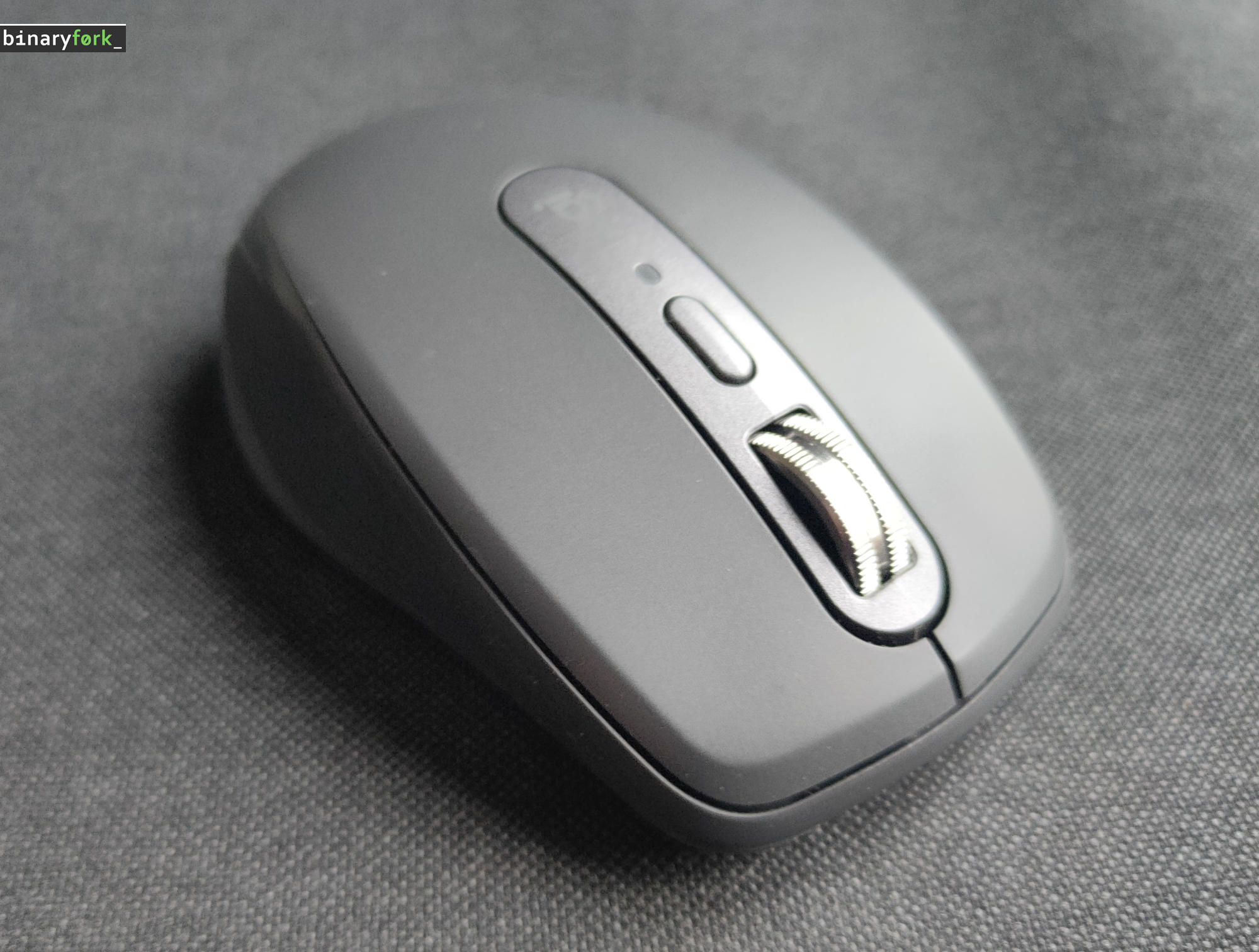
You won’t find a mouse this small that still feels premium. The Anywhere 3S features an ultra-compact, low-profile form factor. This means it doesn’t add unnecessary bulk to your daily carry. It slips effortlessly into the sleeve of your laptop bag or alongside your notebook, making it easy to grab when you need it.
Its size is optimized for maximum portability without sacrificing comfort. Even if you are carrying a heavy backpack, the mouse remains light and unobtrusive.
Sustainable build quality you can feel
Beyond its size, the build quality is exceptional. Logitech has made a conscious effort to ensure the product is sustainable. The mouse is constructed using post-consumer recycled plastic. This commitment to sustainability means that when you buy a tool for your workspace, you are also supporting eco-friendly practices.
This use of recycled materials doesn’t compromise the feel; it maintains a solid, reliable, and premium weight that feels durable in your hand.
Optimized for the on-the-go professional
For you, the user who moves between coffee shops, co-working spaces, and home offices, this design is a major selling point. You get the advanced performance of a high-end mouse, but in a package that is genuinely designed for travel.
Key design takeaways:
- Low-Profile Form Factor: Ensures it fits into tight spaces like laptop sleeves.
- Lightweight Build: Keeps your overall carry weight down.
- Sustainable Materials: Built with post-consumer recycled plastic, aligning with eco-conscious living.
Ultimately, the Anywhere 3S proves that you don’t have to choose between powerful features and portability. It is built to seamlessly integrate into your existing workflow, no matter where your modern workspace takes you.
Performance review: Tracking anywhere with the 8,000 DPI sensor
Performance review: Tracking anywhere with the 8,000 DPI sensor
When you are working in diverse environments – from a coffee shop table to a client’s glass desk – reliable tracking is non-negotiable. The biggest technical upgrade in the MX Anywhere 3S is its advanced 8,000 DPI optical sensor. This represents a significant jump from the previous 4,000 DPI model, giving you unparalleled precision.
So, what does doubling the DPI actually mean for you? DPI stands for Dots Per Inch, and it measures the sensor’s sensitivity. In simple terms, a higher DPI means the mouse can detect smaller movements and translate them into cursor movements on your screen with greater accuracy. For professionals working with high-resolution displays, this increased sensitivity is crucial. It allows you to make micro-adjustments – whether you are editing detailed graphics or navigating complex spreadsheets – without needing to move the mouse itself.
Reliability on any surface
One of the most praised features is its ‘any-surface’ capability. You no longer need to worry about specialized mouse pads or surface types. The 8,000 DPI sensor is engineered to maintain flawless performance across challenging materials. We tested it on surfaces that often trip up other mice, including:
- Glass: Tracking remains smooth and consistent, even on highly reflective glass.
- Wood: It handles the varied textures of natural wood desks without skipping or losing connection.
- Fabric: Unlike some sensors, it maintains reliable tracking on woven fabrics, making it ideal for casual work setups.
This robust performance assurance means you can pack your gear and work confidently, knowing your mouse will perform reliably, no matter where your day takes you. It truly makes the MX Anywhere 3S a dependable tool for the modern, mobile professional.
The user experience: Quiet clicks and hyper-speed scrolling
A refined interaction: Silence meets speed
One of the most noticeable upgrades in the MX Anywhere 3S is how it refines the fundamental user experience. Logitech has focused on making the mouse feel premium and highly functional, ensuring that your daily workflow is both silent and incredibly fast. These two features – the quiet clicks and the MagSpeed wheel – work together to redefine what a portable mouse can do.
The benefit of Quiet Clicks
If you work in shared environments, like open-plan offices or busy cafes, audible clicks can be disruptive. The 3S addresses this head-on by implementing Quiet Click Technology. This means you get the satisfying, reliable tactile feedback you expect from a quality mouse, but without the loud, distracting ‘click’ sound of previous models.
It’s a subtle but significant improvement. You maintain full control and confidence in your input, knowing that your work won’t interrupt your colleagues. It’s designed for the modern, considerate professional.
Mastering the MagSpeed scroll wheel
The MagSpeed scroll wheel is perhaps the most impressive feature for productivity. It doesn’t just scroll; it adapts to your needs. It offers two distinct modes, allowing you to switch between precision and sheer speed instantly.
- Ratchet Mode (Precision): When you are working on detailed tasks, such as coding or editing a spreadsheet, you want absolute control. In Ratchet mode, the wheel clicks with satisfying precision, allowing you to move down document by document, pixel by pixel.
- Hyper-fast Mode (Speed): When you need to skim a massive report or jump through a long article, you simply switch modes. The wheel accelerates effortlessly, scrolling thousands of lines per second. It’s a fluid, almost magical experience that saves you significant time.
This combination of silent operation and adaptive scrolling means the MX Anywhere 3S feels less like a simple peripheral and more like an extension of your own thought process. You get the speed of a professional-grade tool combined with the discretion needed for a mobile, modern life. It’s a true upgrade in daily usability.
Connectivity and multi-device workflow: Seamless switching for professionals
For modern professionals, your mouse shouldn’t be another point of friction in your workflow. The MX Anywhere 3S is designed with connectivity stability at its core, ensuring that your focus stays on your work, not on pairing devices. It delivers a truly unified experience across your entire digital setup.
Connectivity Stability and Modern Standards
The mouse utilizes Bluetooth Low Energy (BLE), which provides reliable, stable connections to multiple devices. While previous models often relied on an included USB dongle, the 3S emphasizes a more modern, flexible approach. You will need a compatible Logi Bolt receiver to maximize connectivity, ensuring a secure and stable link to your hardware.
This shift allows you to maintain a clean, minimalist desk setup while still enjoying robust performance. The stability of the BLE connection means fewer dropouts and a more consistent experience, which is crucial when you are deep in complex tasks.
Effortless Switching with Easy-Switch
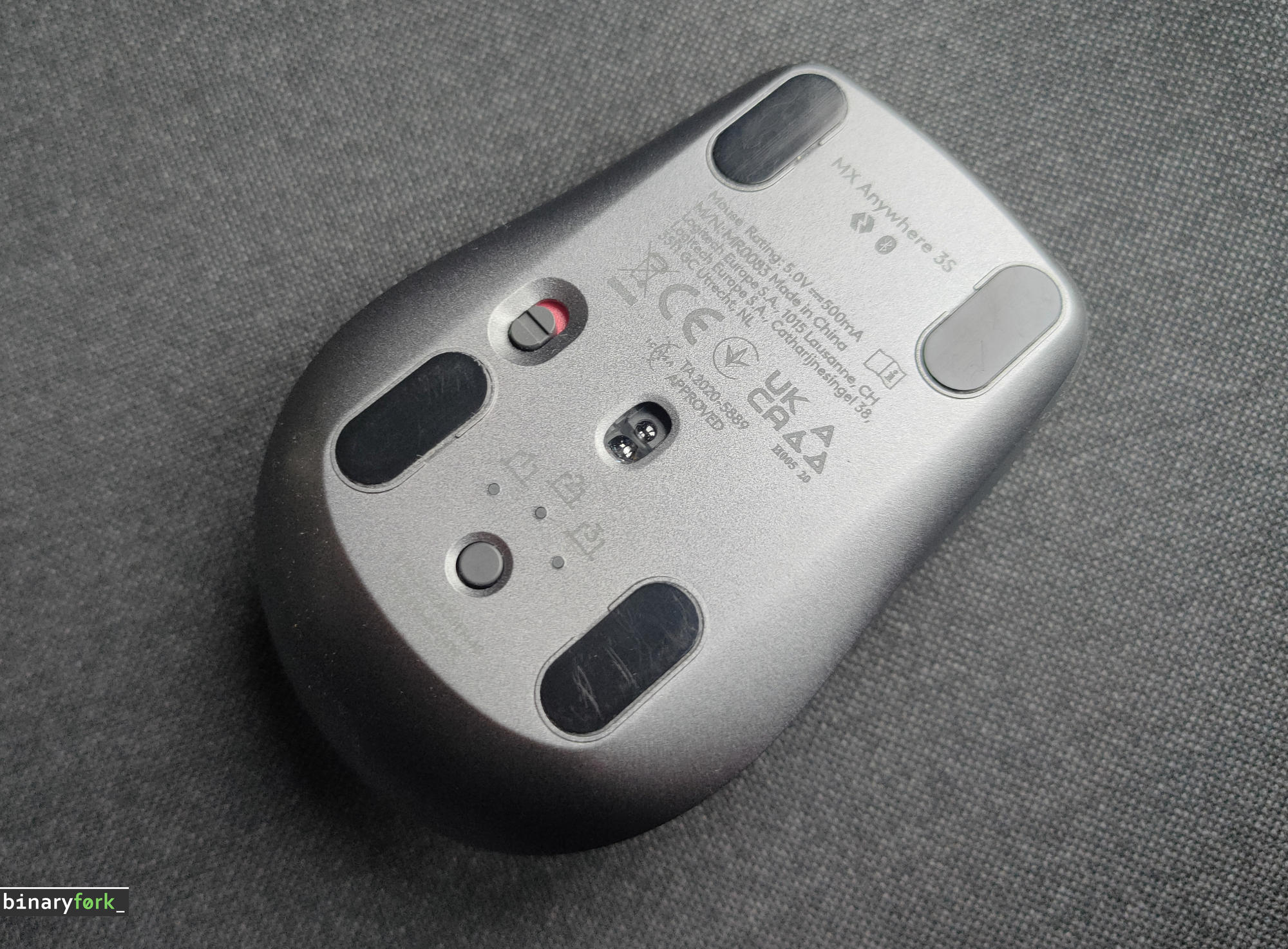
One of the most praised features is the Easy-Switch function. This allows you to toggle between up to three different devices – such as your work laptop, personal tablet, and desktop monitor – with a simple press of a button. You don’t have to manually re-pair or switch settings; the transition is nearly instantaneous.
This seamless switching capability dramatically improves workflow efficiency. Imagine moving from drafting a document on your laptop to reviewing slides on your tablet, all without missing a beat. It makes your entire setup feel like one cohesive unit.
Deep Dive into Logitech Flow
The true power of the MX Anywhere 3S lies in its integration with Logitech Flow. Flow is more than just switching devices; it unifies your entire operating system experience. It allows you to move files, copy text, and even drag and drop cursors across different operating systems (like moving a file from a Mac to a Windows PC) as if they were all connected to the same machine.
This feature is a game-changer for digital nomads and remote workers who frequently jump between different types of hardware. Instead of emailing yourself a file or manually transferring data, you simply move your cursor to the edge of the screen and let Flow handle the rest. It makes your multi-OS workflow feel completely unified and intuitive.
Summary for the Professional User
In short, the combination of stable BLE connectivity, the instant Easy-Switch function, and the powerful cross-platform capabilities of Logitech Flow means you are getting more than just a mouse. You are getting a central hub for a highly efficient, uninterrupted professional workflow. It’s designed to keep pace with your demanding, multi-device life.
Power management: All-day battery life and quick charging
When you are working remotely or traveling, the last thing you want is a dead battery. Logitech has designed the MX Anywhere 3S with power management in mind, ensuring that your workflow never has to stop due to low power. You can count on impressive longevity, but it’s important to understand how this battery life translates to real-world use.
Understanding the 70-day battery life
The advertised battery life of up to 70 days is genuinely impressive. However, this figure is based on optimal conditions, meaning light usage and minimal features enabled. For the average digital nomad who uses the mouse for several hours a day, you can expect the battery to last significantly longer than older models. This longevity means you can pack the mouse and forget about charging it for weeks at a time.
To give you a practical idea, if you use the mouse moderately – say, for a few hours of general productivity work daily – you will likely only need to charge it once every couple of months. This reliability is a huge benefit for those who spend time in locations with inconsistent power access.
The convenience of USB-C charging
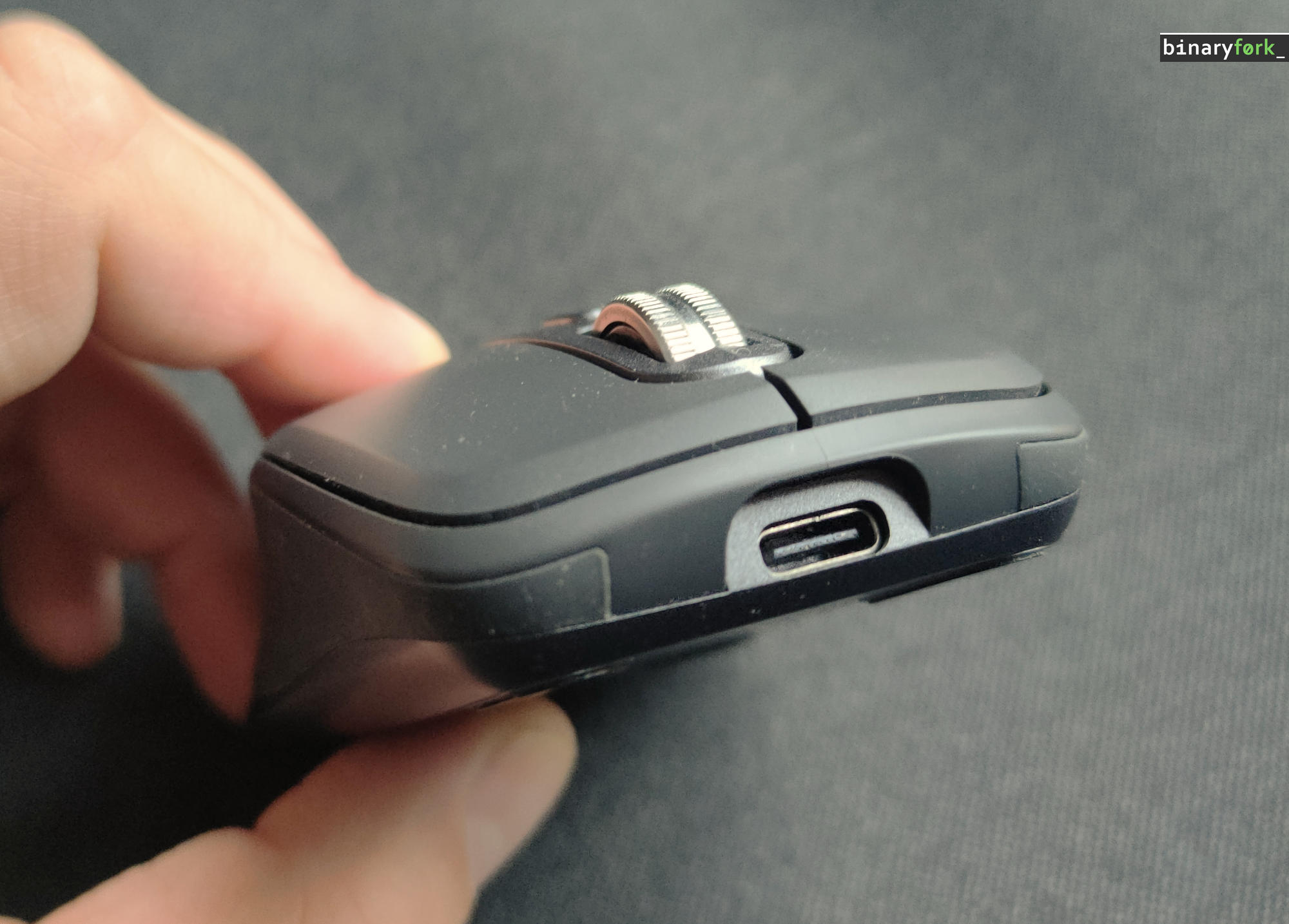
The shift to USB-C charging is a major quality-of-life upgrade. Instead of needing a proprietary cable, you can use the same charger for your laptop, phone, and other devices. This standardization makes charging incredibly simple, especially when you are on the go.
Perhaps the most reassuring feature is the rapid charging capability. If your battery is running low, you don’t have to wait hours for a full charge. The MX Anywhere 3S supports quick power boosts, allowing you to regain several hours of usage time from just a minute of charging. This is perfect for those quick coffee shop work sessions where time is limited.
Power management summary
In short, the power management system on the MX Anywhere 3S gives you both peace of mind and flexibility. You get the assurance of weeks of battery life for light use, combined with the modern convenience of USB-C rapid charging for when you need a quick boost. It ensures that your focus stays on your work, not on finding an outlet.
Customization with logi options+: Automating your productivity
While the Logitech MX Anywhere 3S is already a highly capable mouse, its true potential is unlocked through software customization. The dedicated Logi Options+ application transforms this peripheral from a simple pointing device into a powerful, personalized productivity hub. If you spend your day juggling multiple applications, understanding this software is key to maximizing your efficiency.
Getting Started with Logi Options+
Logi Options+ provides a centralized dashboard where you can tailor every button and gesture to fit your unique workflow. Instead of relying on default settings, you can assign specific functions to the mouse’s side buttons or scroll wheel. This simple remapping process can drastically reduce the number of clicks you need to perform during a typical workday.
Remapping for Specific Applications
One of the most useful features is the ability to create profiles for different apps. For instance, if you frequently use Zoom, you can map a button to instantly launch a meeting or mute your microphone. Similarly, when working in Adobe Photoshop, you might assign a button to execute a complex undo or selection tool. This tailored approach means the mouse behaves differently depending on whether you are writing in Excel, designing in Adobe, or conferencing via Zoom.
The Power of Smart Actions
The standout feature for power users is ‘Smart Actions.’ This function takes automation to the next level, allowing you to record and execute multi-step sequences with a single click. Instead of having to click through five different menus or press four different key combinations, you can record the entire process once and assign it to a single button.
How Smart Actions saves you time:
- Example: Imagine your job requires you to generate a report, save it as a PDF, and then email it to a specific client. Instead of performing these three steps manually, you can record them as one Smart Action.
- Result: With the MX Anywhere 3S, you simply click the assigned button, and the entire multi-step process executes instantly.
By mastering button remapping and utilizing Smart Actions, you are essentially building a personalized command center right on your desk. The mouse stops being just an input device and becomes an active tool that streamlines your most repetitive and time-consuming tasks, giving you more time to focus on the creative work that matters most.
Final verdict: Is the MX Anywhere 3S worth the upgrade?
After exploring the exceptional features of the Logitech MX Anywhere 3S, the big question remains: Is this mouse a mandatory upgrade for you, or is it perfect for someone new to the line? Or a mobile companion for someone who uses the legendary MX Master 3S on their desktop?
To help you decide, we have compiled a balanced summary of the key advantages and trade-offs you should consider before making a purchase.
Pros: What makes the MX Anywhere 3S exceptional
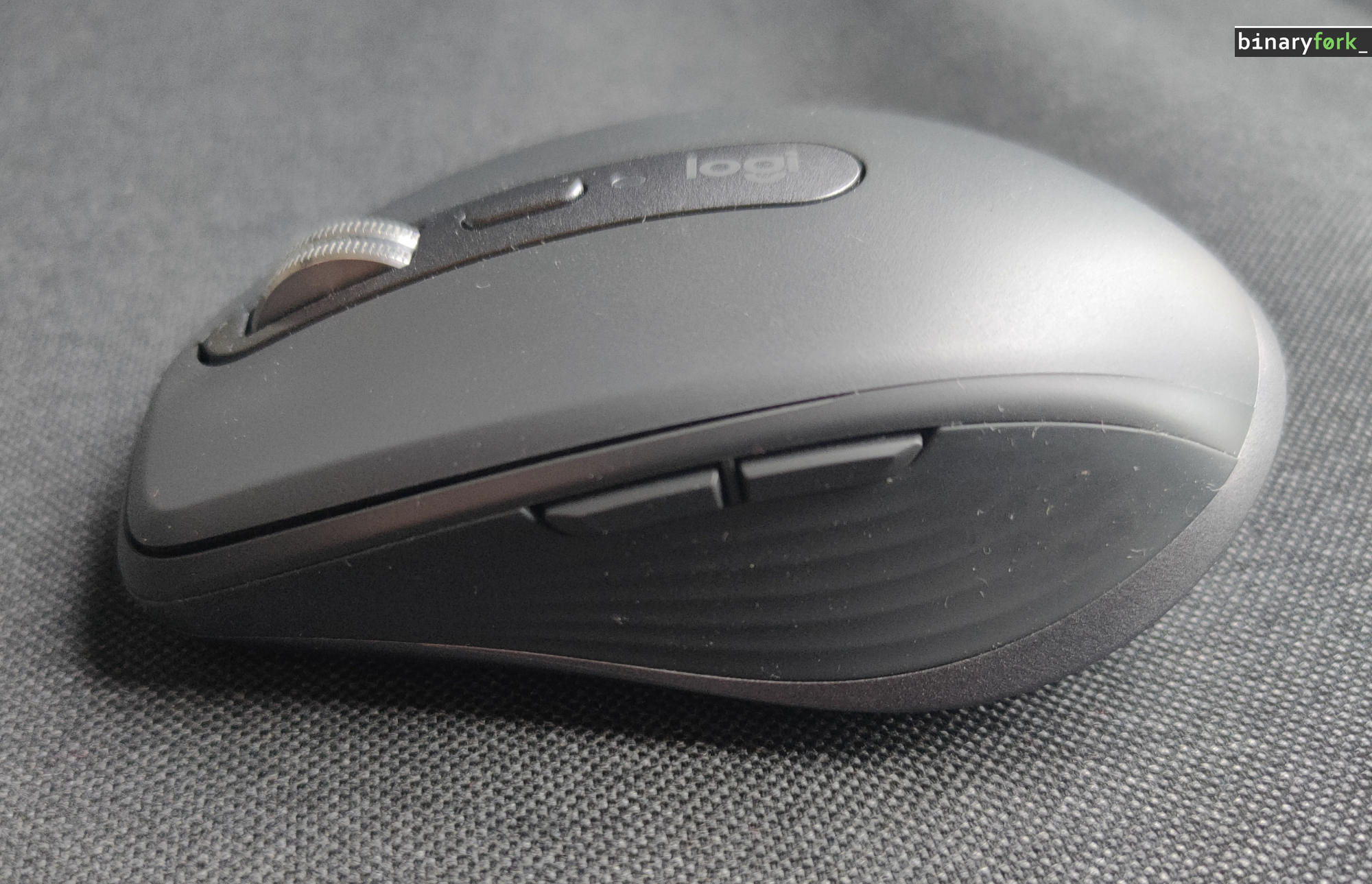
The 3S excels in several areas that directly benefit the modern, mobile professional. Here are the standout features:
- Exceptional Tracking: The upgraded 8,000 DPI sensor ensures you maintain precise control, no matter the surface you are working on, including glass.
- Silent Operation: The Quiet Clicks are a game-changer for shared office spaces or quiet co-working environments, allowing you to work without disturbing others.
- Premium Scroll Wheel: The MagSpeed wheel remains a standout feature, offering both the precision of a ratchet and the speed of hyper-fast scrolling.
Cons: What you need to know before buying
No device is perfect, and the MX Anywhere 3S has a few limitations you should be aware of:
- Size Constraint: Its ultra-compact design, while great for portability, might feel small or cramped for users with larger hands.
- Connectivity Changes: You will notice the absence of the included USB dongle and internal storage for the receiver, requiring you to manage your Bluetooth connections more actively.
- Receiver Dependency: Since the Logi Bolt receiver is no longer included, ensure you have a compatible receiver or rely solely on Bluetooth Low Energy.
Our verdict
For the New User: If you are new to the MX Anywhere line and prioritize portability, silent operation, and best-in-class tracking, the MX Anywhere 3S is an outstanding choice. It sets a high bar for travel mice.
For the Existing MX User: If you currently own the MX Anywhere 3, the upgrade is significant, primarily due to the 8,000 DPI sensor and the Quiet Clicks. However, if your current mouse already meets your core needs, the upgrade might not be mandatory. We recommend upgrading if noise reduction or superior tracking on challenging surfaces is a major priority for your workflow.
The Final Word: Overall, the MX Anywhere 3S is a highly refined, professional-grade tool. It is designed for the digital nomad who values discretion and performance above all else. By balancing its powerful features with its compact form factor, it remains one of the most reliable and portable productivity mice available today.
The Logitech MX Anywhere 3S is a highly capable, refined, and reliable mouse for modern, mobile professionals, featuring 8,000 DPI sensor, ‘any-surface’ tracking, Quiet Clicks, MagSpeed wheel, and multi-device connectivity.